stamatis.zervakakis@gmail.com

IMG_6905
Homepage

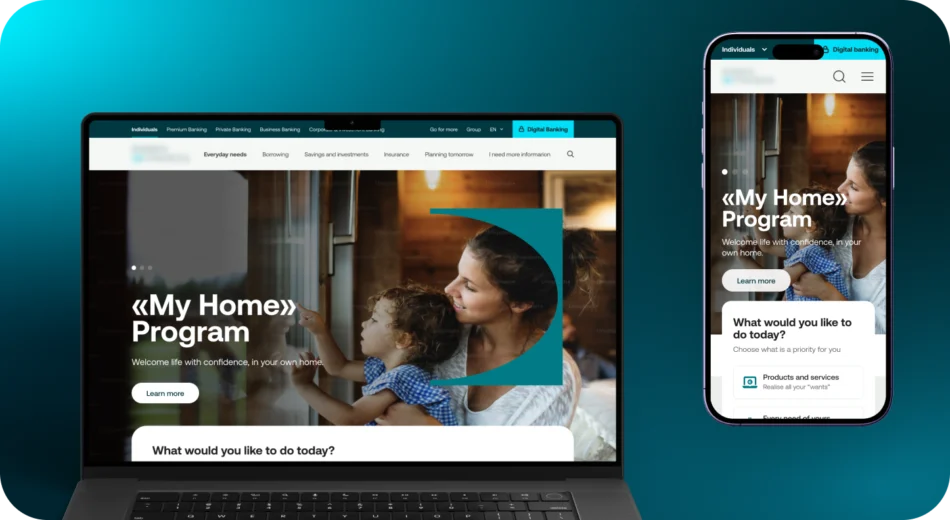
How users navigate banking products, a usability testing

Role

UX Researcher

About the client

A leading financial institution in Southeast Europe, offering a wide range of banking services to individuals, businesses, and corporate clients.

As part of its digital transformation and rebranding initiative, the bank sought to evaluate the usability of its existing public website to enhance user experience and align with modern banking standards.

What was the problem we tried to solve?

The website had grown over time — multiple audiences, multiple services, changing priorities. This expansion created complexity. Users often knew what they wanted (a mortgage, digital onboarding, business liquidity loans), but not where to find it.

Basic journeys took too long, generating frustration and drop-offs. Even users familiar with the brand felt lost navigating between sections like Individuals, Businesses, and informational content.

This resulted in higher bounce rates, lower engagement with digital services, and missed opportunities for customer conversion and satisfaction.

How did we try to solve it

I lead a mixed-method research approach focusing on both behavioral analytics and task-based usability evaluations.

We measured

✅ How users navigate from the homepage
✅ Whether the menu supports decision-making

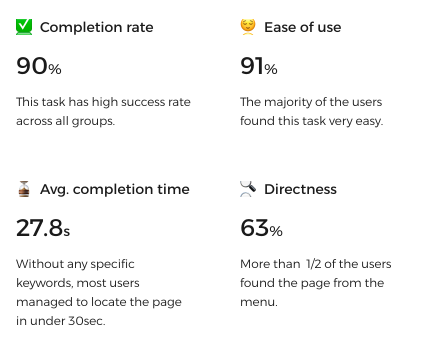
✅ How many clicks or seconds each task required
✅ Perceived ease of use after completion

Who were the users

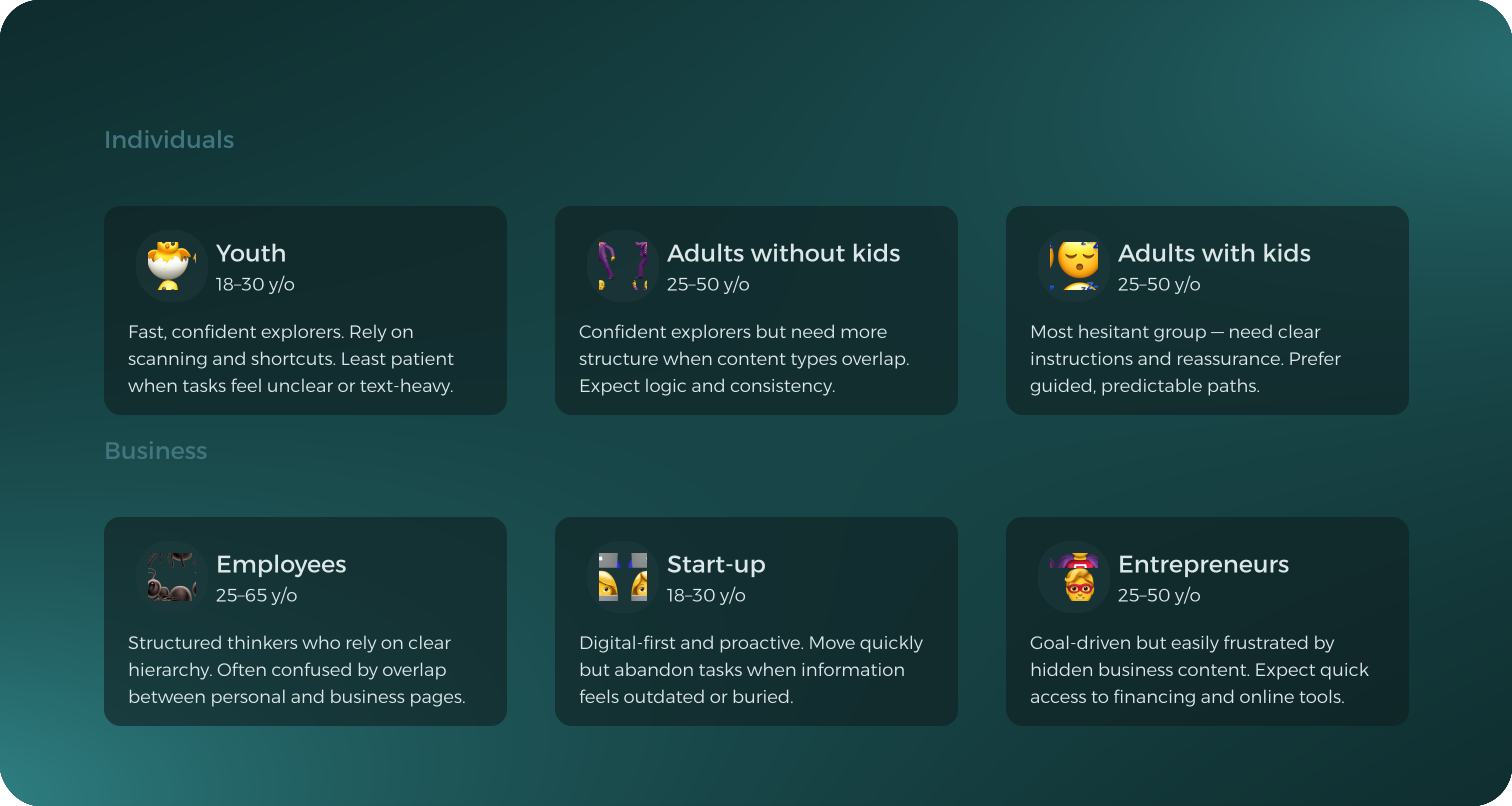
We recruited 200 participants equally split between Individuals and Business users, ranging from 18 to 65 years old, and further segmented into three life stages:

What were the tools?

To uncover a balanced picture of the experience, we used 3 different tools:

Hotjar

visualized where users spent time, clicked, and dropped off across the site’s major pillar pages.

Useberry

helped us observe how users actually completed key tasks and track their train of thought.

Interviews

to deepen our quantitative findings, and validate what the numbers hinted at.

Behavioral analytics on live pages

📋 Pillar pages guided users well and held attention.

📋 Digital Banking link absorbed most clicks across homepages.

📋 85% bounce rate — users rarely scroll below breadcrumbs.

📋 Content below the fold went almost unseen.

Task-based usability testing

📋 Users struggled with menu hierarchy — especially switching between Individuals & Business Banking.

📋 Digital onboarding success only 50%, avg. 3+ min to complete.

📋 Keyword scanning dominates; vague titles get ignored.

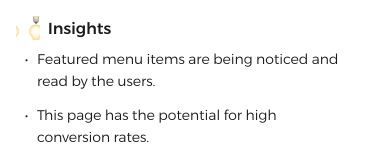
📋 Featured elements work — users click what stands out.

Qualitative validation with users

📋 Many knew articles existed but couldn’t find them.

📋 “I know it’s there, but I can’t find it” was a recurring quote.

📋 Older and business users felt lost between similar sections.

📋 Clearer pathways and supportive guidance are needed.

Some indicative scenario based tasks

This section highlights four representative user scenarios that were tested across key areas of the bank’s website — loans, credit cards and insurance.

Task 1 - Get a loan for an immediate need

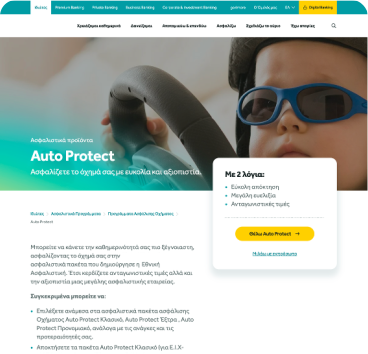
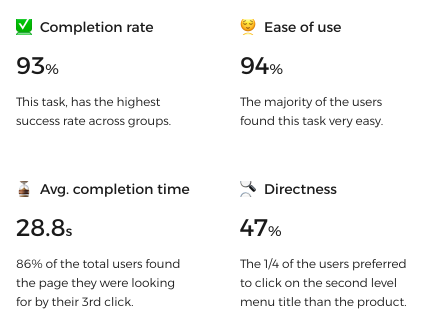
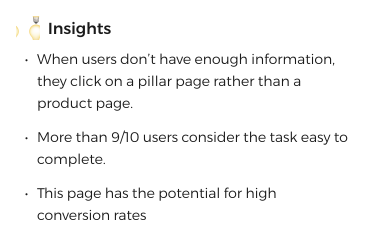
Task 2 - Insure your car

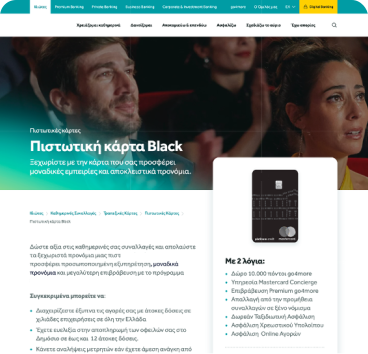
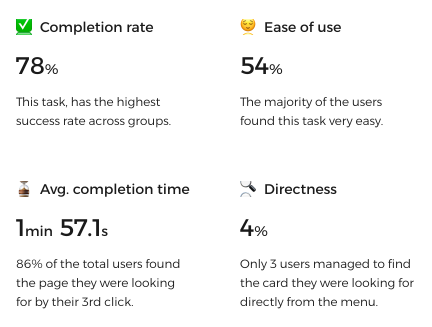
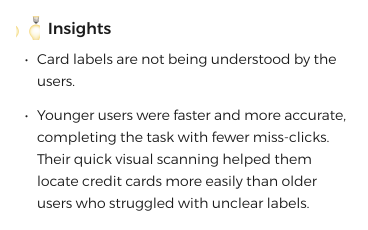
Task 3 - Find a credit card with specific benefits

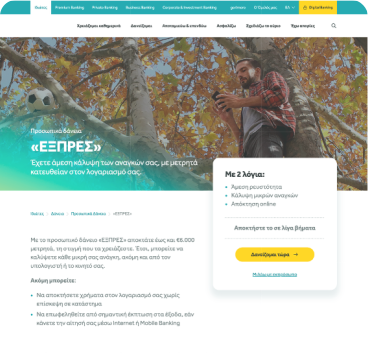
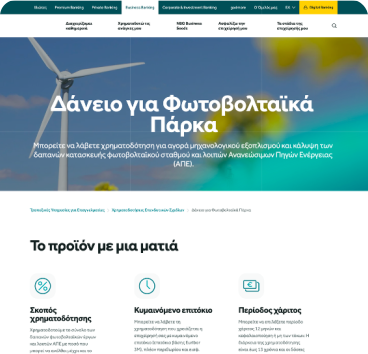
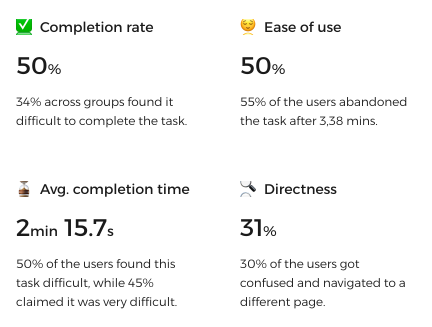
Task 4 - Find a loan to invest in photovoltaic installation

In a glimpse

Users struggled not with the content itself, but with finding it. Clear, descriptive labels and intuitive pathways made a significant difference in success rates, while vague or overlapping navigation led to hesitation and misclicks.

Pillar pages proved reliable guides, helping users recover when they felt lost. In contrast, business-related tasks revealed deeper structural issues that require clearer entry points and stronger support.

Turning user behavior into clear, actionable improvements

Navigation & Menu

📋 KEY FINDINGS

Confusing & Hidden

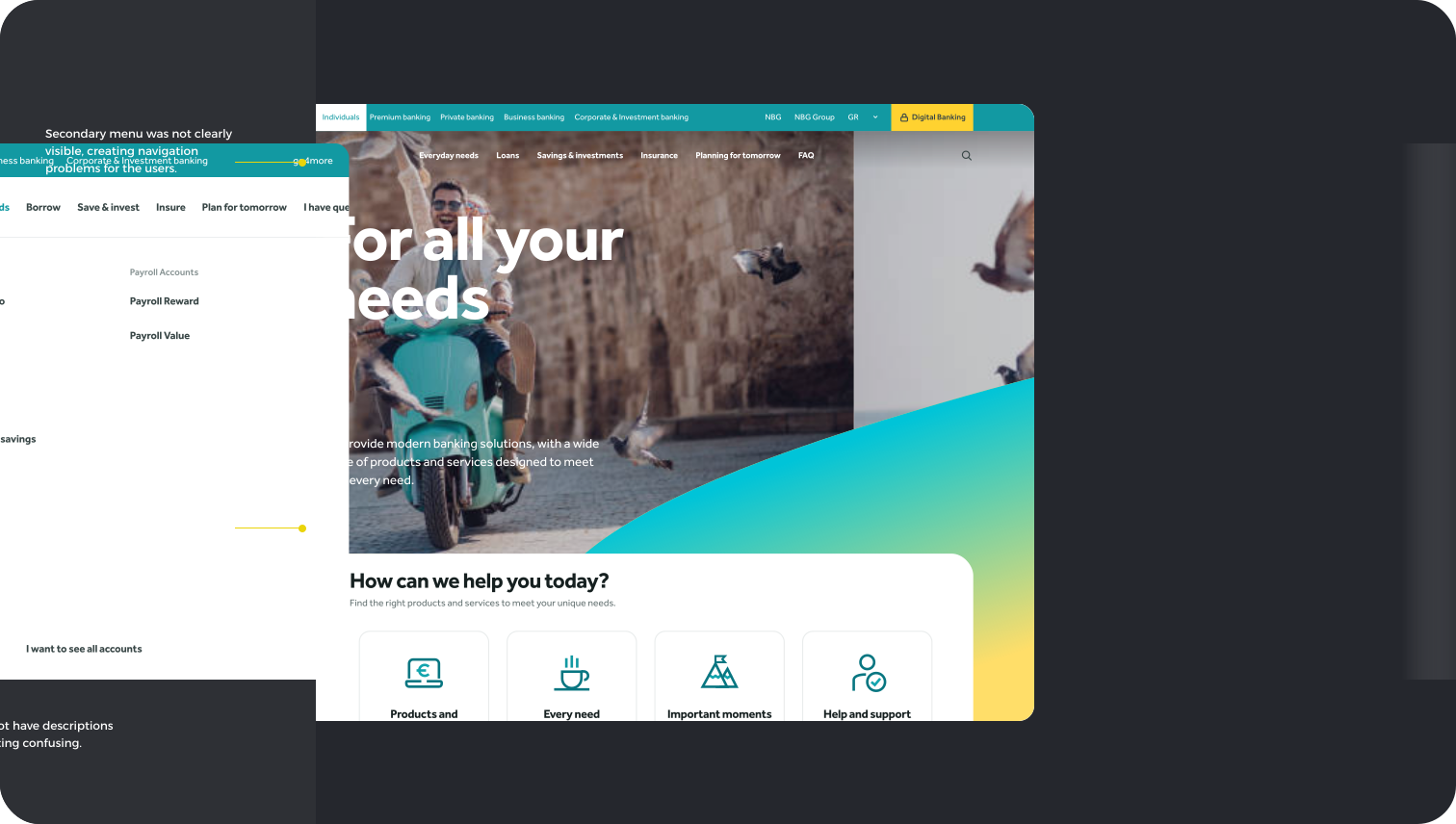
  • Users struggled to find content directly from the menu, especially when items lacked descriptions.

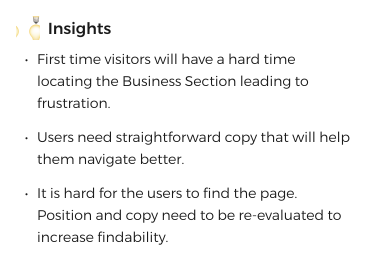
  • First-time users couldn’t reliably locate major sections.

  • Users defaulted to pillar pages when menu labels were unclear.

  • Featured menu items consistently captured attention and improved findability.

✅ RECOMMENDATIONS

Clear & Discoverable

  • Simplify and restructure the menu to reduce cognitive load and improve findability.

  • Add descriptions or supportive microcopy to ambiguous items.

  • Use high-visibility or featured items deliberately to drive discovery.

  • Improve visibility of sections to help both new and returning users navigate confidently.

Information Architecture & Content

📋 KEY FINDINGS

Unclear & Disorganized

  • Users had difficulty with menu hierarchy and switching between main audiences.

  • Digital onboarding was unclear — low success rate and long completion time.

  • Users relied on keyword scanning; vague or generic titles were ignored.

  • High-visibility elements worked well; users clicked what stood out visually.

✅ RECOMMENDATIONS

Structured & Intuitive

  • Differentiate similar pages with clearer labels and unique descriptors.

  • Strengthen pillar pages with richer content and clearer structure.

  • Refine content organization to support all user groups, including seniors.

User Needs & Interests

📋 KEY FINDINGS

Frustrating & Lost

  • Many users knew articles existed but couldn’t locate them.

  • Frequent sentiment: “I know it’s there, but I can’t find it.”

  • Older and business users felt especially lost in overlapping sections.

  • Users wanted clearer, supportive pathways — not more content.

✅ RECOMMENDATIONS

Supportive & Accessible

  • Improve the experience for heavily used digital banking pages.

  • Make essential actions — branch locator, appointments, internet banking — clearly visible in top-level navigation.

  • Surface articles and supporting content more effectively throughout the site.

In conclusion

The research uncovered significant opportunities to restructure the Information Architecture, elevate high-performing components, and ensure that essential services—such as digital onboarding, business tools, and support content—are easy to find and intuitive to use.

These learnings directly informed the next phase and guided decisions around component redesign, naming clarity, and alignment with Sitecore.

Closing thoughts

This project reinforced that users don’t need more content—they need clearer, more supportive ways to access what already exists. By grounding decisions in real user behavior, we created a focused roadmap for improvements that make the bank's digital experience more intuitive, trustworthy, and aligned with user needs. These insights became the foundation for the website’s transformation and the evolution of the design system.